
Cortex — golf course management software
Most courses keep work orders, spray records and irrigation notes in different places, none of them tied to the ground they describe. Cortex is all-in-one course management software built around an interactive 3D digital twin of your course: a command center where the crew's work, the records and the alerts sit on the course itself.
Who works in Cortex?
Plan the week's work and keep spray, fertilizer and irrigation records in one place.
A monthly board report built from the course's own records.
One place for the work and the records.
A 3D digital twin of your course
Built from our drone survey of your course, so every record sits where it happened. Its base layers are the same maps as your Atlas sheets.
Work orders and zone scheduling
Assign the crew's work by zone and see it on the course.
Spray, fertilizer and irrigation records
Applications, irrigation zones, soil samples and problem areas, tracked on the course map. Irrigation mapping puts your heads, valves and lines on the course map as a working record in Cortex. Before an application, the free sprayer calibration and fertilizer calculators do the math, and the turf unit converter switches a rate between label units.
Alerts
Flags on the course map for the things the crew needs to follow up.
A monthly board report
Work orders, labor time, spray and fertilizer records and turf-input costs, rolled up from your records.
What does a course look like in Cortex?
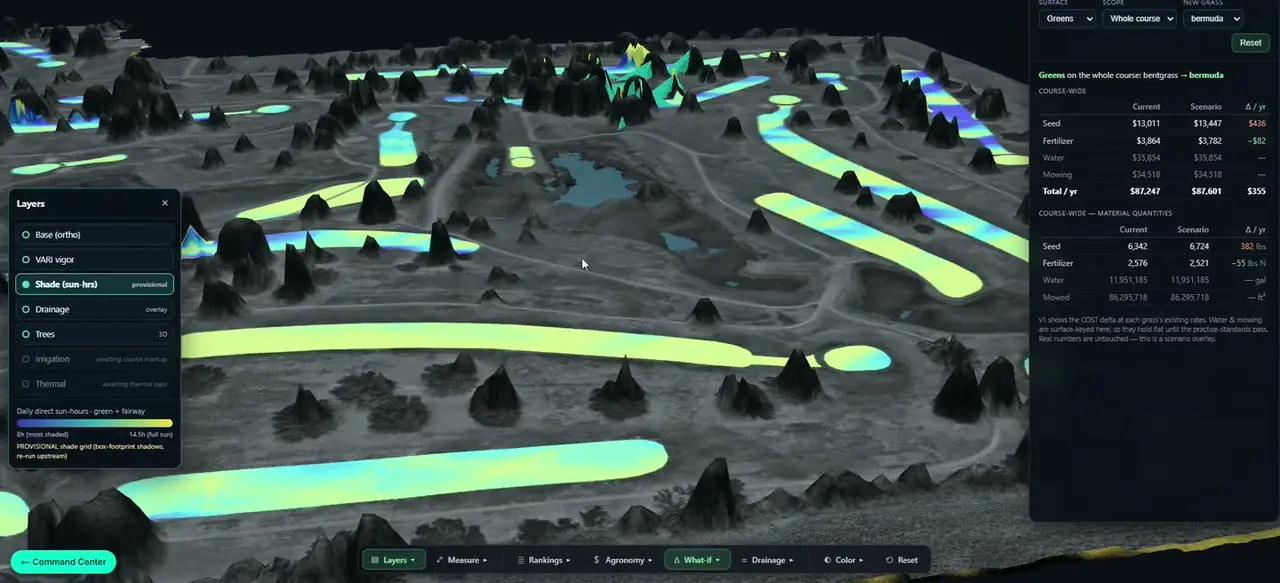
The screen recording above is a client course in Cortex: the 3D twin built from our survey of that course, with its map layers switched on over the ground and the trees.
- A layers panel with the aerial base map, the shade (sun-hours) layer, drainage and the trees in 3D. The irrigation and thermal layers show as waiting until those surveys are done on the course.
- A toolbar for the layers, measuring, rankings, agronomy, what-if scenarios and drainage.
- A what-if panel that compares converting the greens from bentgrass to bermuda against the current grass, line by line for seed, fertilizer, water and mowing.
- The sun-hours layer comes from the same light model as the shade analysis, and the base layers are the same maps as the Atlas sheets, so the screen and the printed sheets show the same course.
A client course · Captured August 2026 · DJI Matrice 4T RGB · Cortex screen recording · 3D course model built from the aerial survey.
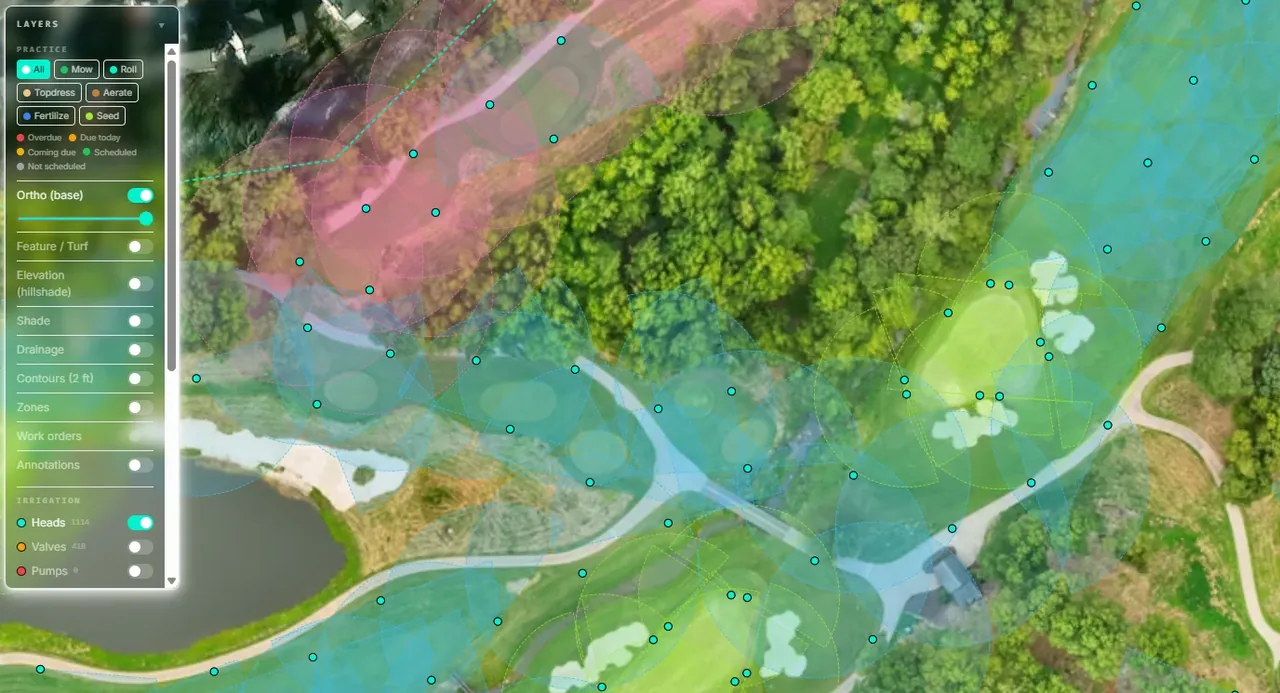
From a survey flight to a command center.
Survey flight
We fly the course by drone.
Digital twin
The survey becomes an interactive 3D model of your course, with its map layers.
Set up
Your zones, irrigation and existing records are added to the model.
Day to day
The crew works from Cortex, and the monthly board report is built from those records.
Questions about Cortex
What is Cortex?
Cortex is course management software built around an interactive 3D digital twin of your course. Work orders, scheduling, records, alerts and a monthly board report all sit on the course map.
What is a digital twin of a golf course?
A digital twin of a golf course is a 3D model of the course built from a drone survey. In Cortex it is the map that the crew's work and the course's records sit on.
What records can Cortex hold?
Cortex holds work orders, zone schedules, spray and fertilizer applications, irrigation zones, soil samples and problem areas, each placed on the course map.
What goes into the monthly board report?
The Cortex monthly board report rolls up work orders, labor time, spray and fertilizer records and turf-input costs from the course's own records.
Is Cortex built on our own course?
Yes. The Cortex twin is built from our drone survey of your course, not from a generic map.
Can Cortex show the shade on our greens?
Yes. When a course has a shade analysis, Cortex shows the sun-hours layer on the 3D course, from the same light model as the report.
What is the Cortex twin not for?
The Cortex twin and its map layers come from the drone survey and are made for planning and day-to-day management of the course. They are not a survey of the course. What-if scenarios compare options on the course's own map; they are estimates for planning.